Protype AI: Type Bangla Phonetically and Fix It With AI
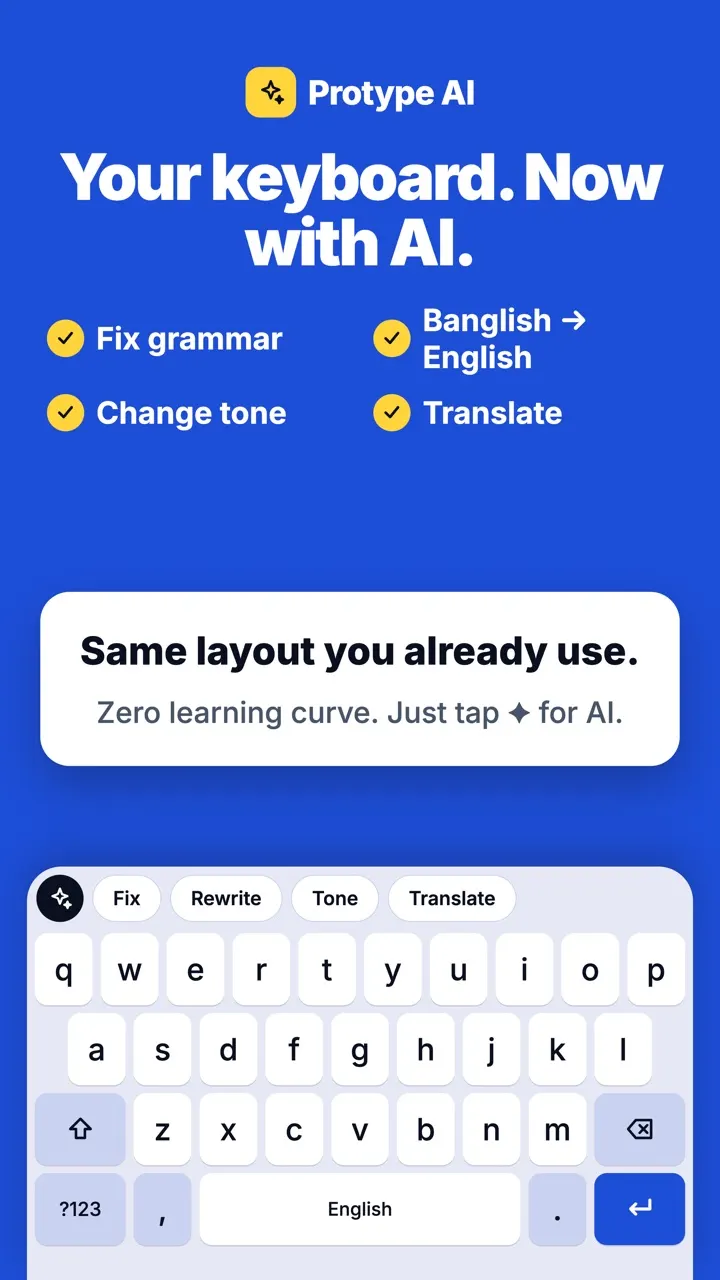
Type Bangla the way you already do, then fix grammar, rewrite, change tone or translate into 18 languages from your keyboard. Android and iPhone setup.
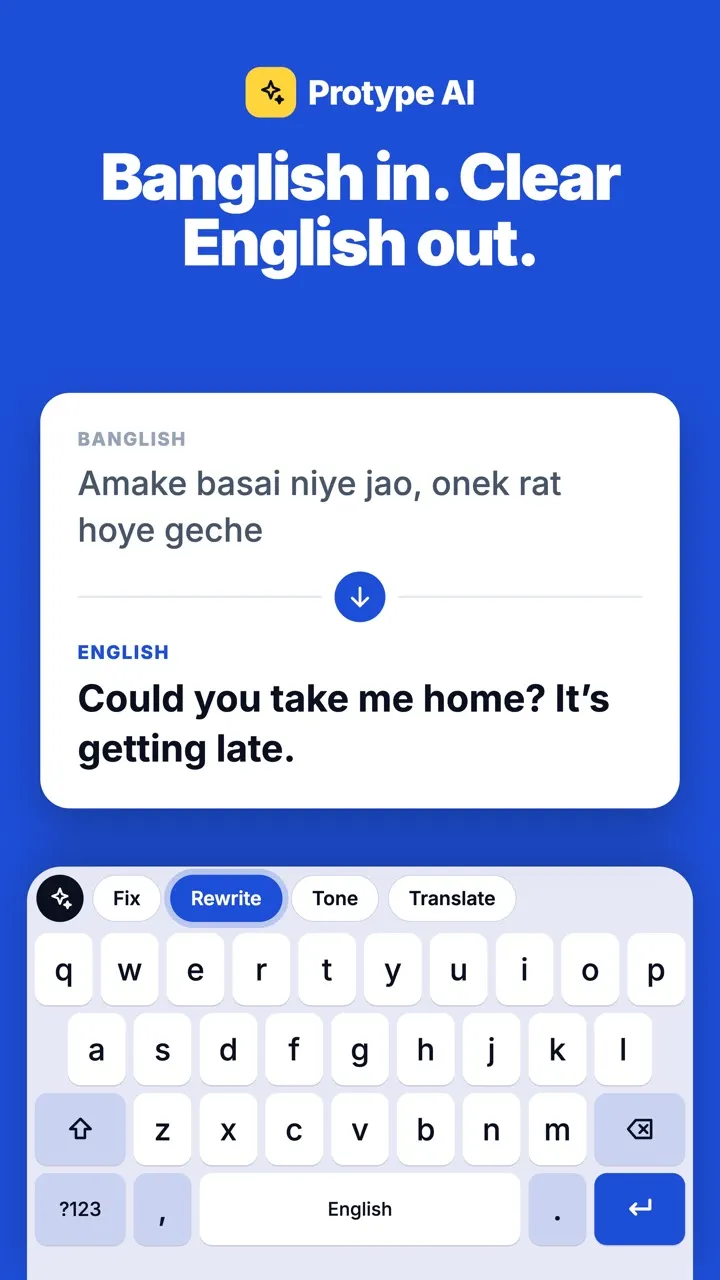
Most of us write in two languages a day, often in the same message. We type Bangla in English letters, switch to English for work, and then copy the text into a separate app to fix the grammar or translate it. Protype AI puts all of that inside the keyboard you are already typing with.
Bangla, done properly
Type Bangla the way you already type it. Phonetic input turns "amar nam" into আমার নাম as you go, and fixed layouts are there if you prefer them. You switch between Bangla and English without switching keyboards, and the AI works in either language. Bangla is not an add-on here: it is one of the two languages the keyboard was built around.
What the AI can do from the keyboard
- Fix: grammar, spelling and punctuation, corrected in place.
- Rewrite: the same thing, clearer, shorter or better.
- Reply: copy a message and get a reply written for you.
- Translate: 18 languages, including Bangla, Hindi, Urdu, Arabic, Spanish, French, Chinese and Japanese.
- Continue: start a sentence and let the keyboard finish the thought.
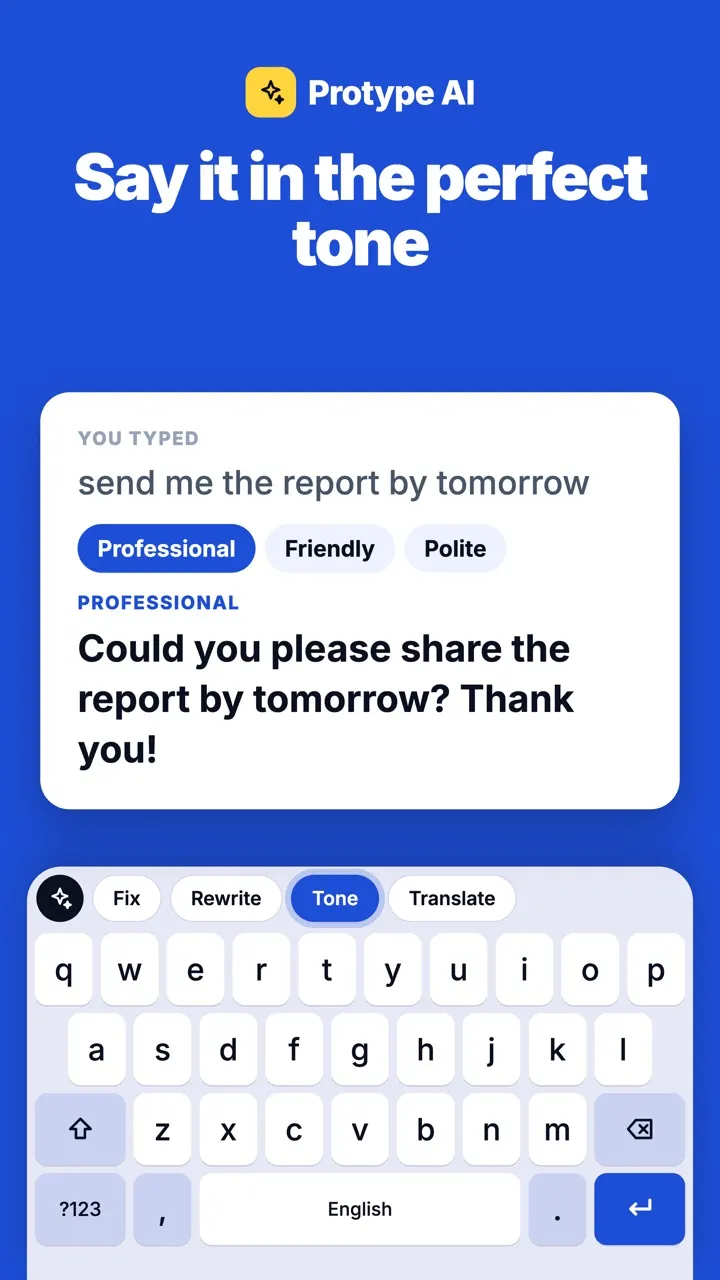
- Tone: friendly, professional, confident, direct, apologetic and more.
Set it up on Android
- Install Protype AI from Google Play.
- Open the app and follow the guided setup to turn on Protype AI as your keyboard.
- In any app, select some text and tap ✦ on the suggestion bar.
Set it up on iPhone
- Install Pro Type: AI keyboard from the App Store. It needs iOS 17 or later.
- Open Settings → General → Keyboard → Keyboards → Add New Keyboard and choose Protype AI.
- Tap Protype AI in that list and turn on Allow Full Access if you want the AI tools. iOS only lets a keyboard reach the network with Full Access; without it the keyboard still types normally.
- In any app, hold the globe key and pick Protype AI.
Private by design
A keyboard can technically see everything you type, so we built this one not to keep any of it. Nothing is sent anywhere while you are simply typing. Text leaves your phone only when you select it and tap an AI action yourself. We never store what you wrote, password fields are never eligible for AI, and there is no advertising or analytics SDK. Read the Android privacy policy or the iPhone privacy policy.
Pricing
Protype AI starts free with 50 AI actions and no card. In Bangladesh you can pay in Taka with bKash, Nagad, Visa or Mastercard, or through Google Play. Every plan is a single payment with no automatic renewal, so there is nothing to cancel. See the current plans on the Protype AI page.
Frequently asked questions
Does Protype AI work in WhatsApp, Messenger and Gmail?
Yes. It is your phone's keyboard, so it works in every app where you can type.
Is Protype AI available on iPhone?
Yes. Pro Type: AI keyboard is on the App Store for iOS 17 and later, and Protype AI is on Google Play for Android.
Can I use it outside Bangladesh?
Yes. It works in English and translates between 18 languages, so it is just as useful anywhere.